
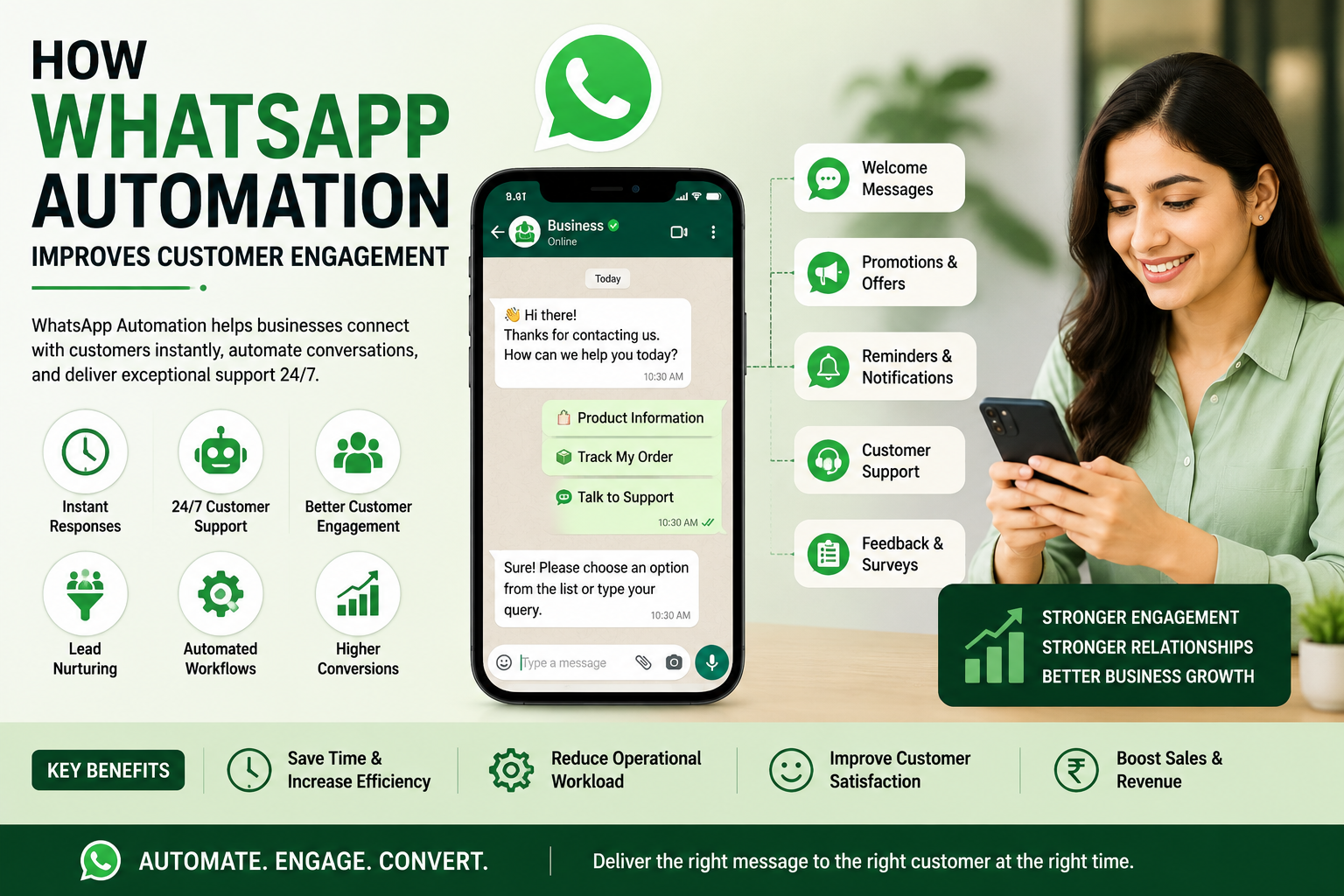
How WhatsApp Automation Improves Customer Engagement
In today's digital world, customers expect quick responses and seamless communication from businesses. Whether they are asking about products, requesting support, or looking for updates, delayed responses can lead to lost opportunities.
WhatsApp Automation has emerged as one of the most effective tools for improving customer engagement, streamlining communication, and enhancing customer experiences. With over billions of users worldwide, WhatsApp has become a preferred communication channel for businesses of all sizes.
By integrating WhatsApp Automation into their customer engagement strategy, businesses can provide instant support, automate repetitive tasks, and build stronger relationships with customers.
What is WhatsApp Automation?
WhatsApp Automation refers to the use of automated messaging systems, chatbots, workflows, and API integrations to communicate with customers through WhatsApp without requiring constant manual intervention.
Businesses can automate various interactions such as:
- Welcome Messages
- Lead Qualification
- Appointment Reminders
- Order Confirmations
- Customer Support Responses
- Follow-Up Messages
- Promotional Campaigns
- Feedback Collection
Why Customer Engagement Matters
Customer engagement is the foundation of business growth. Engaged customers are more likely to trust your brand, make purchases, refer others, and remain loyal over time.
Businesses that maintain regular communication with customers often achieve higher retention rates and better customer satisfaction.
How WhatsApp Automation Improves Customer Engagement
1. Instant Customer Responses
Customers expect immediate responses. WhatsApp Automation ensures that inquiries are answered instantly, even outside business hours.
Automated greetings and quick replies create a positive customer experience and reduce waiting times.
2. 24/7 Customer Support
Unlike traditional customer support systems, WhatsApp Automation allows businesses to assist customers around the clock.
Customers can receive information, FAQs, order updates, and support whenever they need it.
3. Automated Lead Nurturing
Many potential customers require multiple interactions before making a purchase decision.
WhatsApp Automation helps businesses nurture leads through automated follow-up messages, product information, and promotional offers.
4. Personalized Communication
Modern WhatsApp automation platforms allow businesses to personalize messages based on customer data and behavior.
Personalized communication improves engagement and increases the likelihood of customer interaction.
5. Appointment and Reminder Notifications
Businesses can automatically send reminders for appointments, meetings, consultations, and service renewals.
This helps reduce no-shows and improves customer satisfaction.
6. Faster Issue Resolution
Automated workflows can answer common questions instantly and route complex queries to the appropriate support team.
This improves response times and enhances the overall customer experience.
7. Improved Customer Retention
Regular communication helps businesses stay connected with customers.
Automated follow-ups, offers, and service updates encourage repeat purchases and strengthen customer loyalty.
Benefits of WhatsApp Automation for Businesses
- Improved customer engagement
- Faster response times
- Higher customer satisfaction
- Better lead conversion rates
- Reduced operational workload
- Increased customer retention
- Enhanced customer support
- Higher sales opportunities
Industries That Benefit from WhatsApp Automation
Healthcare
Hospitals and clinics can automate appointment reminders, patient follow-ups, and support queries.
Education
Schools, colleges, and coaching institutes can automate admission inquiries, fee reminders, and student communications.
Retail and E-Commerce
Retail businesses can automate order confirmations, shipping updates, and promotional campaigns.
Real Estate
Real estate companies can automate property inquiries, site visit scheduling, and lead nurturing.
Financial Services
Banks, insurance companies, and financial advisors can improve customer communication through automated updates and reminders.
Combining WhatsApp Automation with BPO Services
Businesses can maximize customer engagement by combining WhatsApp Automation with professional customer support services.
A reliable BPO Company in Patna can help manage customer interactions, lead generation campaigns, telecalling services, and omnichannel support solutions.
This combination ensures that customers receive both automated and human-assisted support whenever required.
Best Practices for WhatsApp Automation
- Use personalized messages
- Respond quickly to customer inquiries
- Avoid excessive promotional messaging
- Provide easy access to human support
- Monitor customer feedback regularly
- Keep communication relevant and valuable
The Future of Customer Engagement
As customer expectations continue to evolve, businesses must adopt smarter communication tools to remain competitive.
WhatsApp Automation enables organizations to deliver fast, personalized, and efficient customer experiences while reducing operational costs.
Businesses that invest in automation today will be better positioned to improve engagement, increase conversions, and achieve long-term growth.
Conclusion
WhatsApp Automation is transforming the way businesses engage with customers. From instant responses and automated follow-ups to personalized communication and customer support, automation creates meaningful interactions that strengthen customer relationships.
If your business wants to improve customer engagement, increase response efficiency, and drive higher conversions, WhatsApp Automation is a powerful solution worth implementing.
Technosaga Infotech Pvt. Ltd. provides business automation, customer engagement solutions, telecalling services, and BPO Services in Patna to help organizations enhance customer communication and accelerate growth.
Facebook & LinkedIn don't allow pre-filled posts — clicking those buttons copies a ready caption to your clipboard, just paste it (Ctrl+V) into the box that opens.
best suggatation